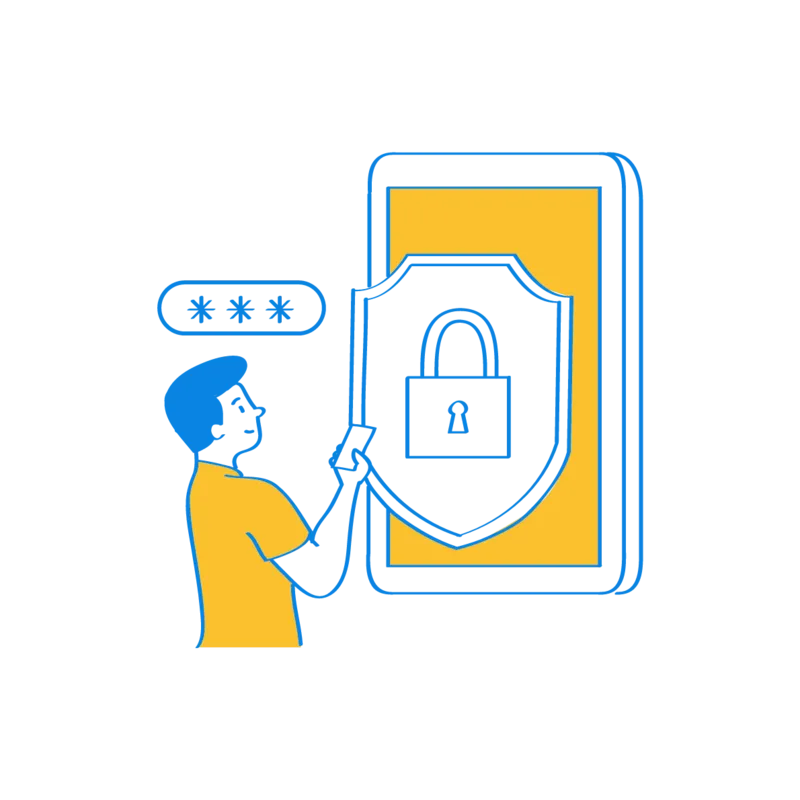
Below we present a few features you should activate at the beginning of your Sugester implementation to better protect your company data.
Login only from known IP addresses. As the account owner, you can specify the IP addresses from which login to the system is allowed. You can restrict login to only the office IP, or the office and the user's home, for example. This limits unauthorized actions on client data outside working hours or without your explicit permission. These settings apply only to regular users - the account owner and admin can log in from any IP address.
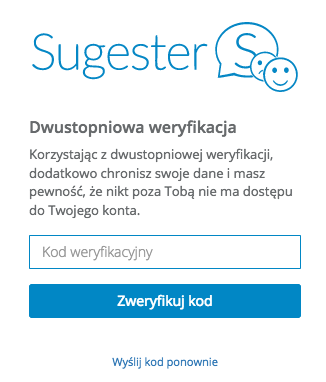
Enable two-step login. This security measure requires both a password and an additional code sent to the user's email address or phone number during login. It provides an extra layer of protection against unauthorized access to the system.Each user decides how they log in to the account. However, there is nothing stopping you from requiring two-step verification at all times so that all employees have it active. When using email-based verification, remember to first confirm that email address in the system.
Assign appropriate permissions to users. Depending on the role an employee plays in your company, you should give them access only to the data they need to perform their duties. A salesperson should not see your company's financial data, and accounting does not need access to reports or marketing strategies. Using the "Roles" feature, you define permission levels for users, managers, admins, and the account owner. Specify in each role exactly which data and documents the employee should have access to.
Verify the email addresses used in Sugester. Every email address added to the system should be verified - confirmed by the user as correct. This is very important because account-related information such as notifications and password recovery for Sugester is sent to these addresses. 
Create your own account backups. In Sugester, all stored data is backed up daily. Backups are kept on Amazon AWS servers located within the European Economic Area. In addition to the automatic system backup, you can also create your own backups by exporting, for example, your customer list once a week. This makes it easy to restore data if one of your users accidentally deletes several customers - simply re-import the backup file.
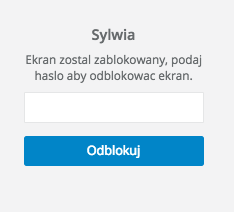
Enable the screen lock after a period of inactivity. If you work in an office, this is an additional safeguard against unauthorized access. Not everyone instinctively locks their computer when stepping away from their desk. By activating this feature, after a set period of inactivity the system locks the Sugester screen. Unlocking it again requires a password known only to the logged-in employee.
It is worth using several of the above security measures - if not all of them - to additionally protect company and customer data. Data security and confidentiality should be a top priority when implementing a new system.
We hope these few tips will make it easier to apply the appropriate security measures in your company.
In the next article, we will discuss the customization options available in the system - what you can do to personalize Sugester and tailor its appearance and features to your company's needs.